
Lyrics
Show synchronized lyrics with chords, and export them for print or a music stand.
Max Write lyrics per song using simple markup and A1R follows along, highlighting the current section live.
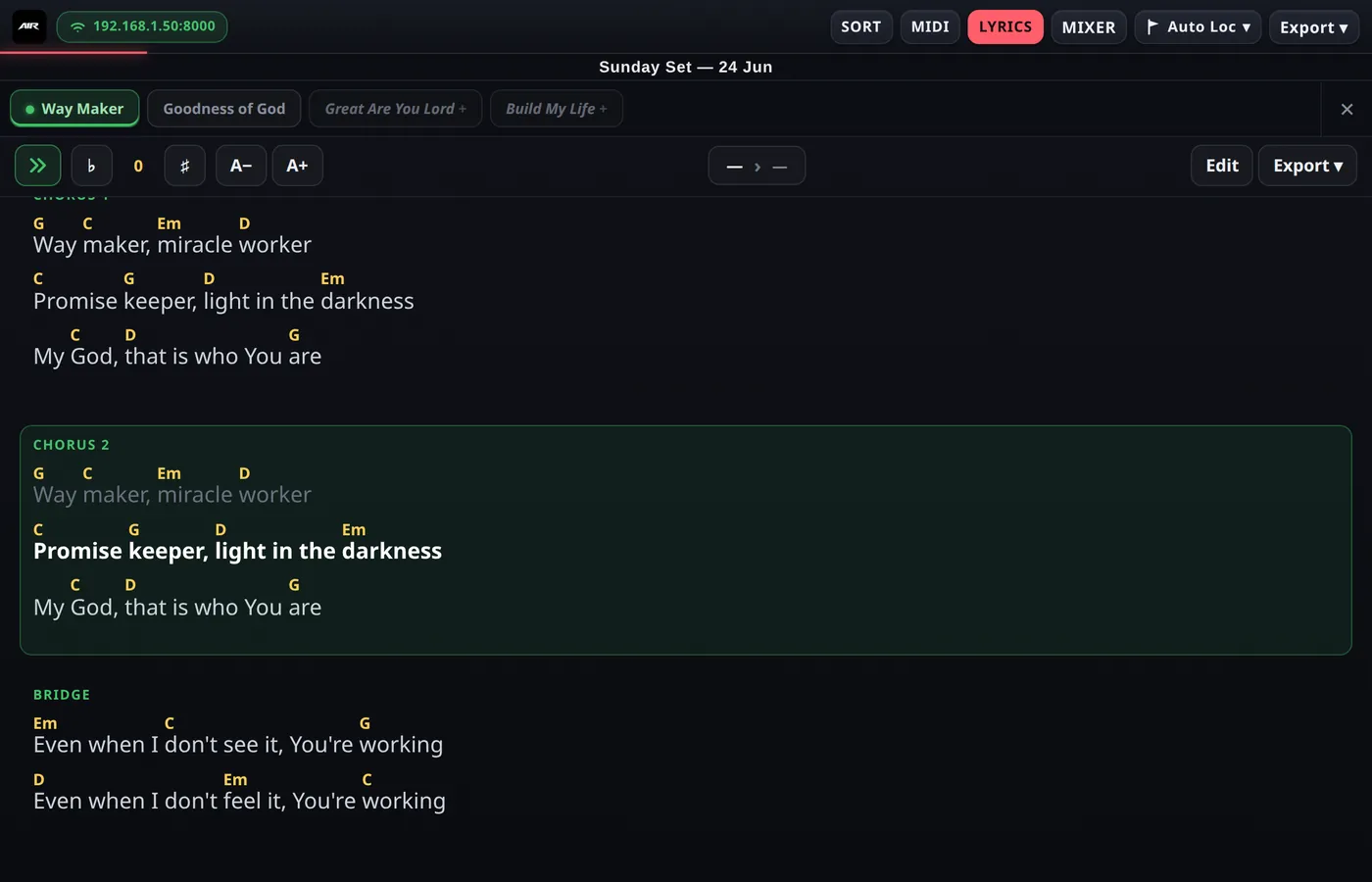
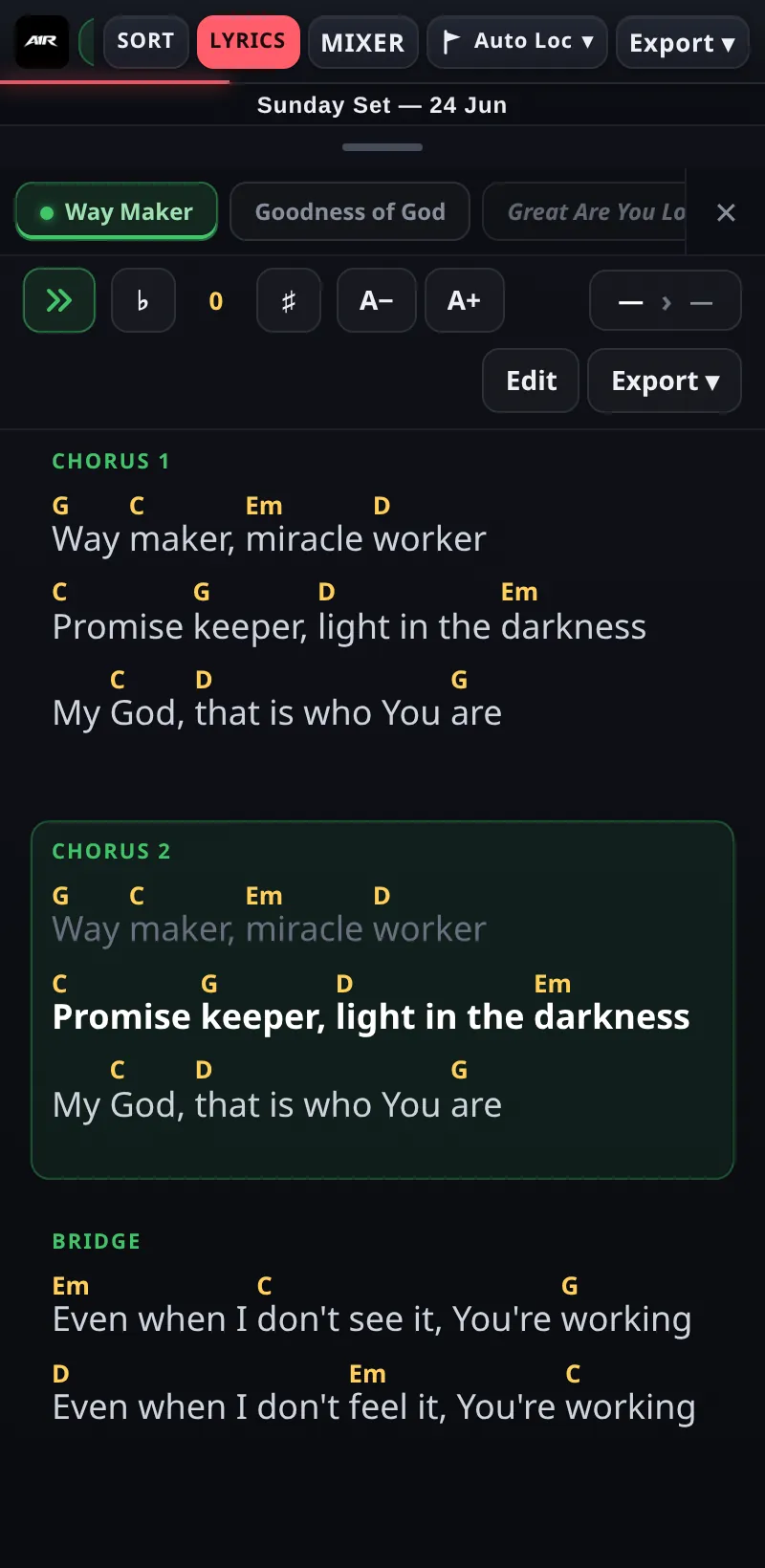
Chords sit above the words; the current section is highlighted.
Writing lyrics
- Start a block with
#Section— e.g.#Chorus 1. - Put chords inline in square brackets:
[G]Way [C]maker. - Switch songs from the tabs along the top — the tab of the song that's currently playing is marked with a green dot, so you can browse another song's chart and still see where the band is.
Edit mode
Tap Edit to write or fix lyrics full-screen, right in A1R. The editor has a quick-insert toolbar for dropping in chord brackets and #Section headers without hunting for symbols on a touch keyboard, plus Undo / Redo (Ctrl + Z / Ctrl + Y). Save and the chart updates on every connected device.
Reading on stage
- Font size — the A− / A+ controls in the toolbar resize the lyrics (saved per device, so the stand tablet can run bigger type than the laptop).
- Follow — the follow toggle keeps the view auto-scrolled to the current section as the song plays. Turn it off to scroll around freely; turn it back on to snap to the live position. Green = following.
- Transpose — the #/b buttons shift every chord up or down per song.
- Two columns on desktop — on a wide screen, ChordPro charts flow into a balanced 2-column layout so a whole song fits on screen without scrolling.
ChordPro text vs. clip lyrics
A1R can show lyrics two ways, toggled with the ChordPro button in the Lyrics toolbar:
- ChordPro text (button off) — the lyrics you typed yourself, with
#Sectionblocks and inline chords. - Clip lyrics (button on) — lyrics read live from clips on a
+LYRICStrack in Ableton, time-aligned so each line highlights as the playhead crosses it. Handy if your lyrics already live in the Arrangement.
Chord names inside clip lyrics (e.g. [G], [Am7], [D/F#]) transpose along with the #/b buttons too — same as ChordPro text.
Export
Export lyrics & chords to PDF or PNG — perfect for printing a chart or loading onto a tablet on a music stand.