
Remote (Phone / Tablet)
Control the show from any device on the same Wi-Fi.
A1R serves its interface as a web app, so any phone, tablet or laptop on the same network can open it — on every tier. No app install, no pairing.
- Make sure the device is on the same Wi-Fi as the A1R computer.
- Open the LAN address A1R shows in its top bar — your computer's IP plus the port shown in the app (each tier uses its own port), e.g.
192.168.1.50:<port>. - Add it to your home screen for a full-screen app feel.
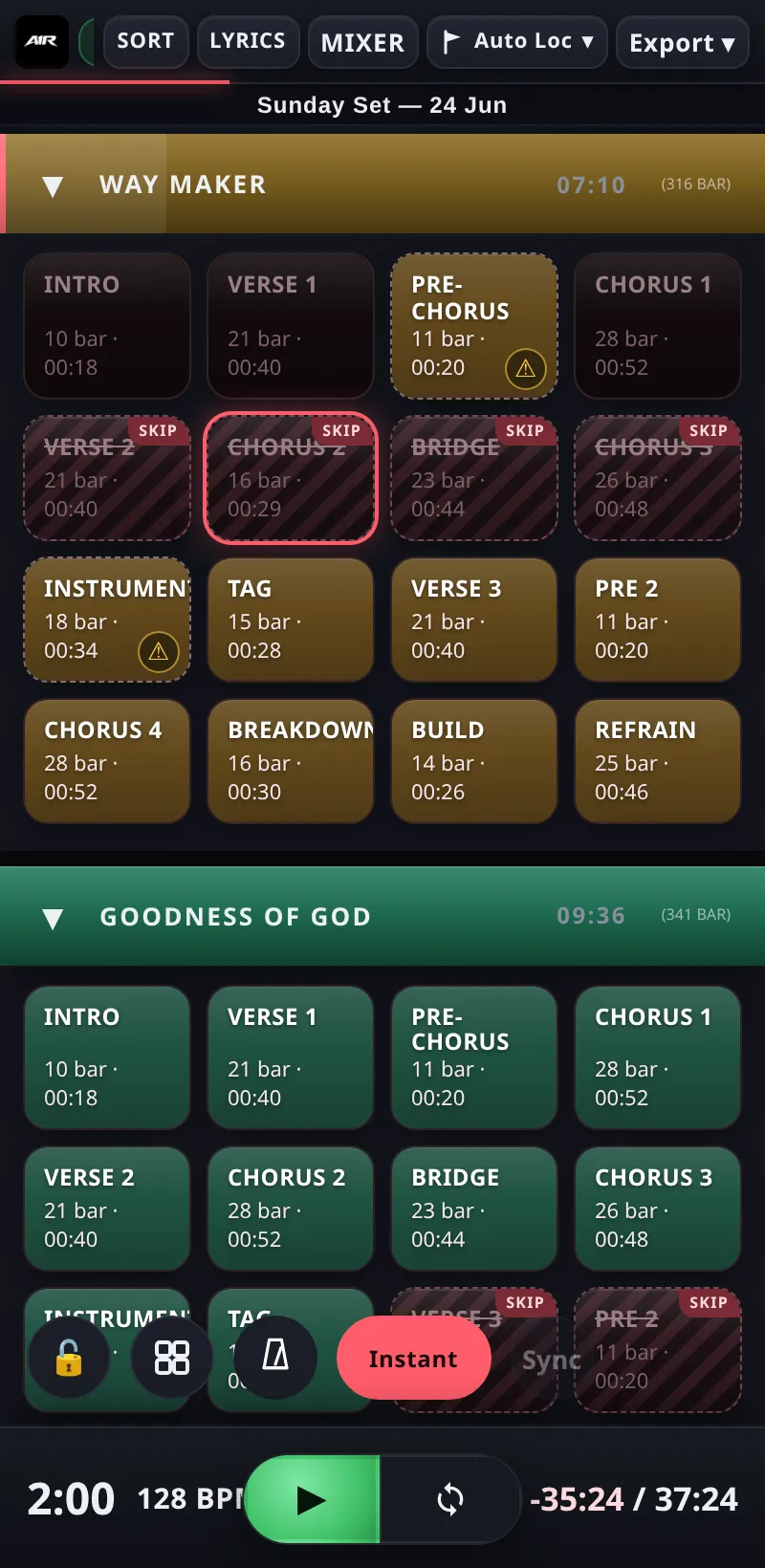
A1R on a phone — full control over the same Wi-Fi.
Open with a QR code
Tap the A1R logo to open the info popup — it shows a QR code of your LAN address. Scan it with a phone camera and the remote opens instantly, no typing.
Handy on stage
- Lock controls —
Ctrl + L(or the lock button) locks the interface so a stray tap on a music-stand tablet can't jump the set. Unlock the same way. - Per-device view — the section view (grid or list, Lite+) is remembered per device: your phone can use the compact list while the main laptop stays on the grid.
- Every connected device stays in sync live — jumps, playhead and setlist changes appear everywhere at once.
The A1R Companion PWA (a1r.app/app) can find your A1R on the network and open it in one tap, plus manage your license. Max