
Export
Export your lyrics and setlist for print or a music stand.
Max The Export button in the toolbar turns your current setlist into a clean, printable sheet — for the band's music stands, the FOH engineer, or the group chat. Pick PDF or PNG from the export menu, or use Ctrl + P (PDF) / Ctrl + E (PNG).
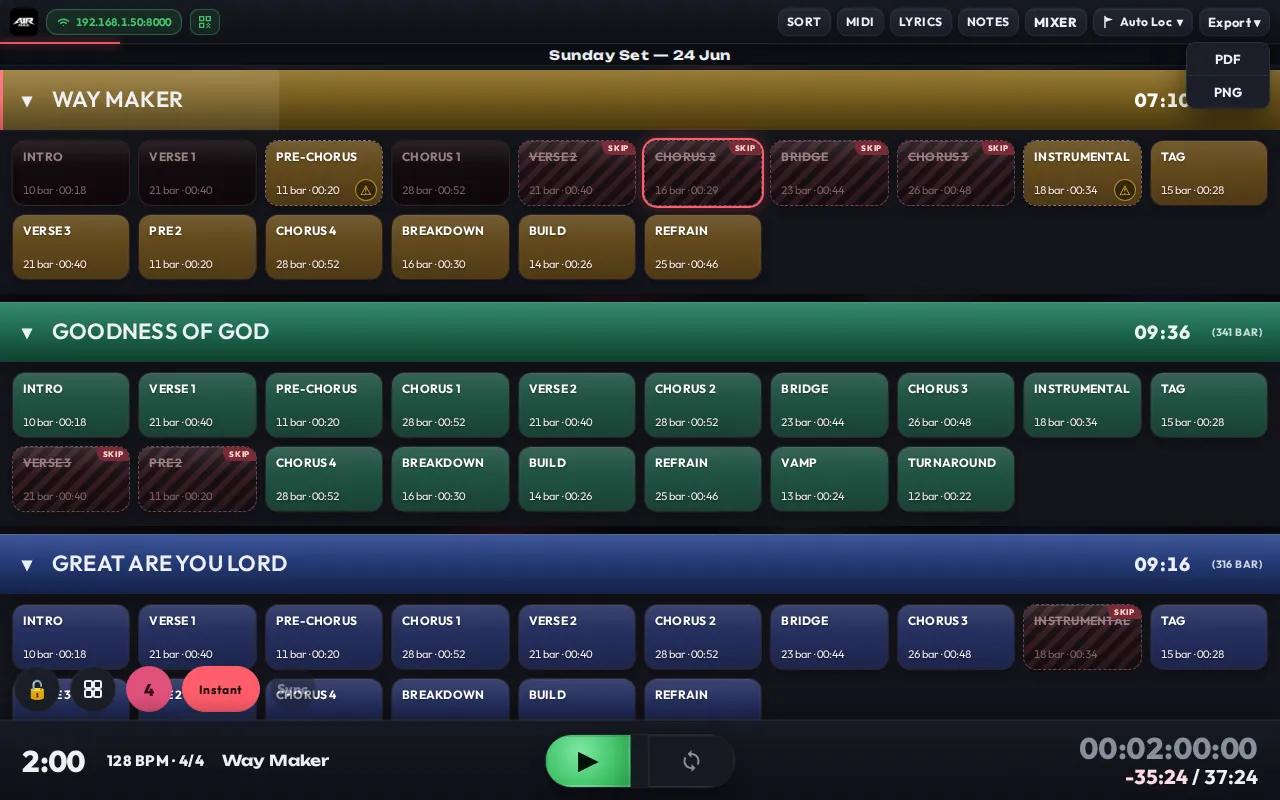
The Export menu on the toolbar — choose PDF or PNG.
What's on the sheet
- Numbered song blocks — songs appear in your current Sort order, each as a block with its number and title.
- Per-section rows — every section is listed with its duration and bar count.
- Totals — each song block ends with its total duration/bars, and the sheet ends with the whole set's total.
- Loops recalculated — a
+LOOP:Nsection is shown with a ×N tag and its duration and bars are multiplied by N, so the totals reflect what you'll actually play. Infinite loops (+LOOP) are listed at base length without a tag. - Skipped sections — sections marked
+SKIP(or bypassed by a>>>transition) are shown crossed out with a "(skip)" tag and are excluded from all totals. - Hidden songs excluded — songs you've hidden in Sort don't appear on the sheet at all.
- Descriptions & notes included — a song's Description (from the per-song menu) prints under its title, and
[note]text from locator names appears next to the section it belongs to.
PDF opens your browser's print dialog (print it or save as a file); PNG downloads an image that's easy to drop into a chat.
Lyrics export is separate
Exporting lyrics & chords to PDF/PNG lives in the Lyrics toolbar, not in this menu — see Lyrics for writing and exporting charts.