Lyrics
Words on screen, always in the right place.
Open the LYR panel to view or edit lyrics. Each song has its own lyric sheet, written as blocks that match your sections — during playback the block for the current section highlights and scrolls into view automatically.
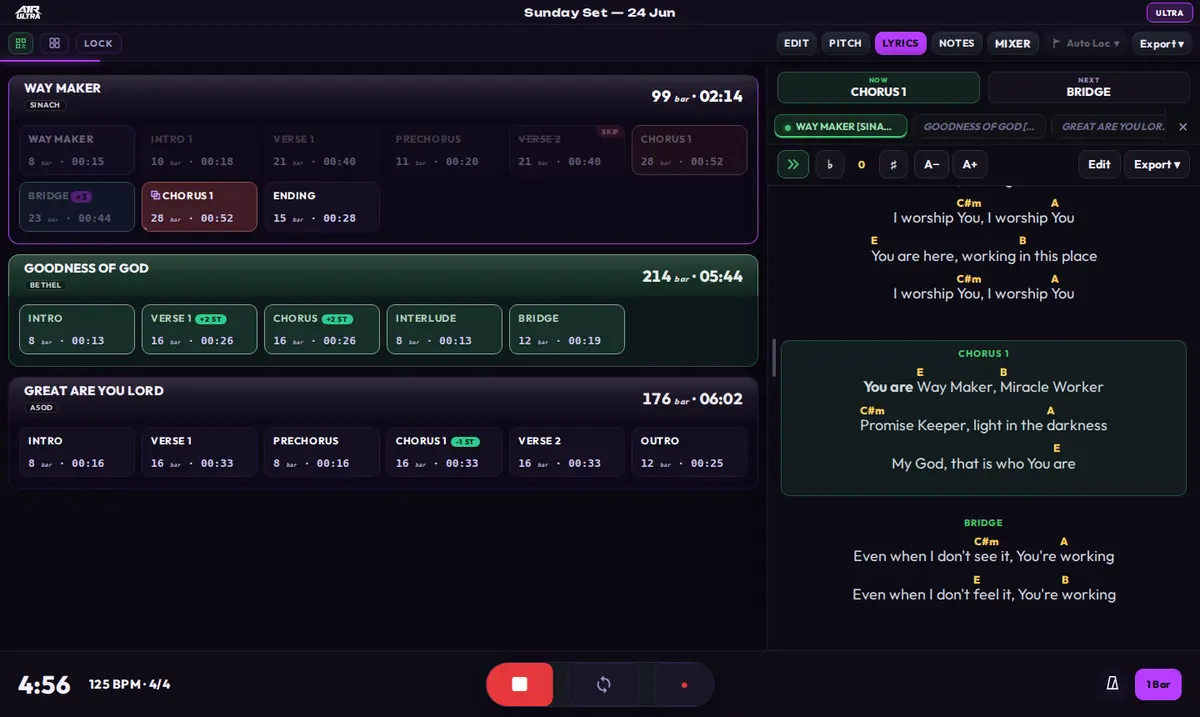
The lyrics panel follows playback — the current section's block highlights and scrolls into view.
Editing
- Pick a song and type. Lyrics autosave as you go — there is no save button to forget.
- Use the Aa control to decorate text: Bold, Italic, Underline.
- Export a song's lyrics as PDF or TXT to print or share.
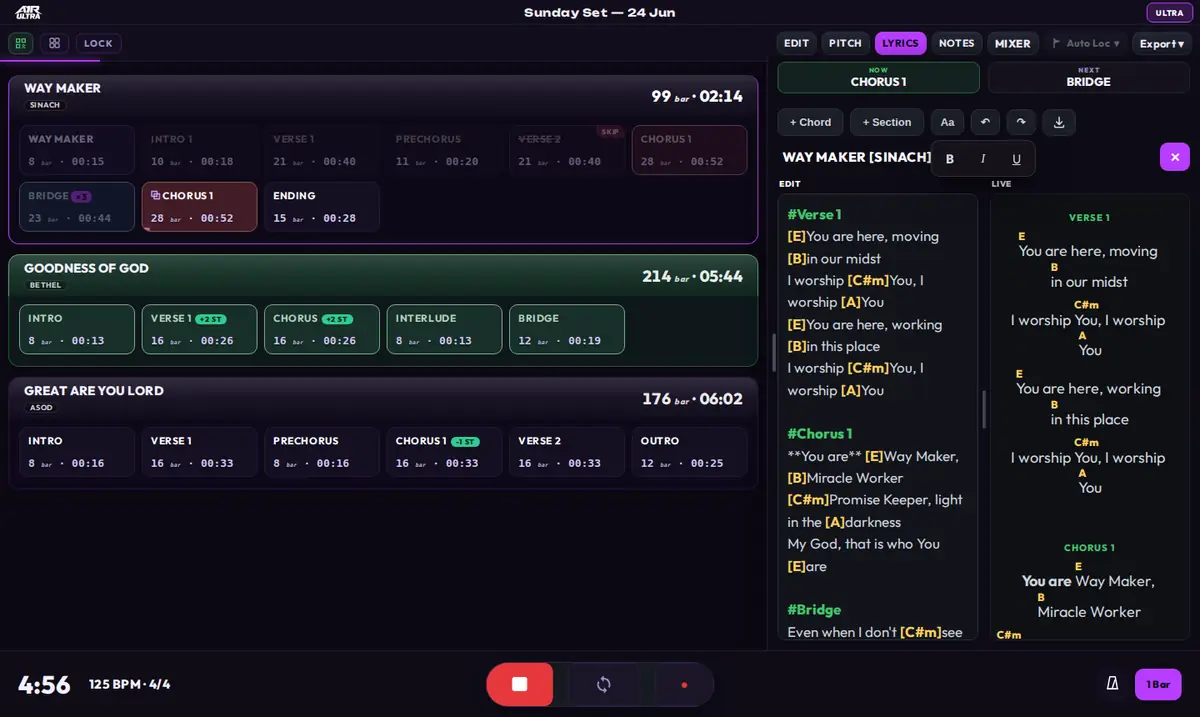
The editor: raw text on the left, live preview on the right — the Aa popover adds Bold / Italic / Underline.
Clip lyrics (CLIP toggle)
If your project carries time-aligned lyrics in clips (MAX-style), flip the CLIP toggle: ULTRA then displays those clip lyrics line-by-line in time with playback, instead of the typed sheet.
Lyrics are stored per project in the A1R ULTRA folder next to your
.als file, so they travel with the project.