
Pitch
Transpose for tonight's singer without touching a single clip.
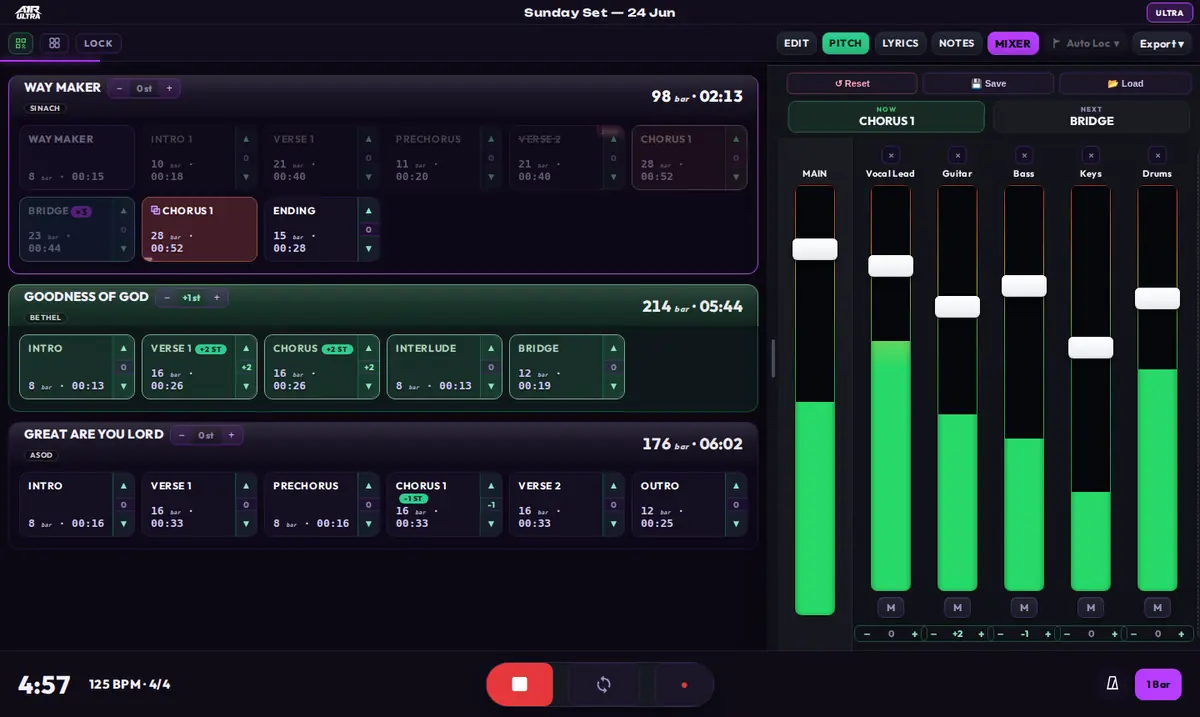
PITCH mode on — steppers appear on every lane and chip; transposed items get a semitone badge.
ULTRA can shift pitch at three levels, all in semitones (±12 st):
| Level | Where | Affects |
|---|---|---|
| Song | Stepper on the song lane (outside Edit Mode) | Every audio clip in that song |
| Section | Stepper on the section chip (outside Edit Mode) | Audio clips within that section only |
| Track | Per-track stepper in the Mixer | That track, across the whole set |

Song stepper on the lane header — one tap shifts the whole song.
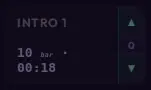
Section stepper on the chip — transpose just that section.
Transposition is applied to audio clips non-destructively — your clips and warp settings in the Ableton project are never edited. Pitch values are stored with the project, so they come back next time you open the set. Setting a stepper back to 0 restores the original pitch exactly.
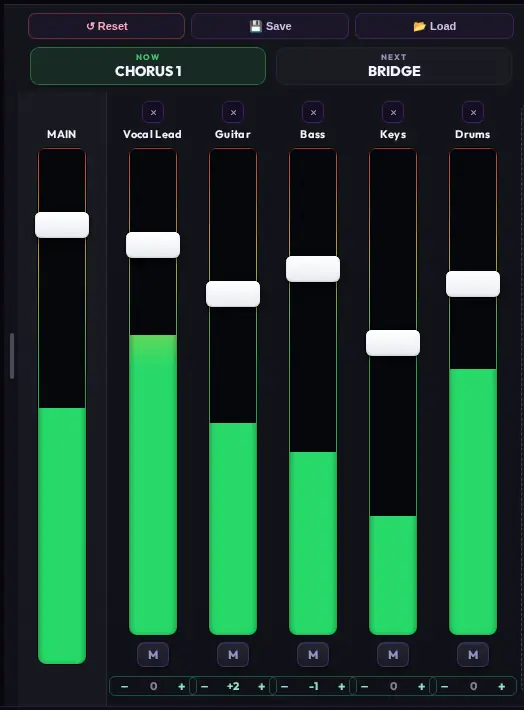
With PITCH mode on, per-track steppers appear under the mixer strips.
Song and section steppers appear in normal (performance) view, not in Edit Mode — pitch is a performance setting, not a setlist edit.