Notes
Charts, cue sheets and reminders — right next to your setlist.
Open the NOTE panel. Notes are organized as a board with tabs — keep a blank board for scribbles, and add as many document tabs as you need.
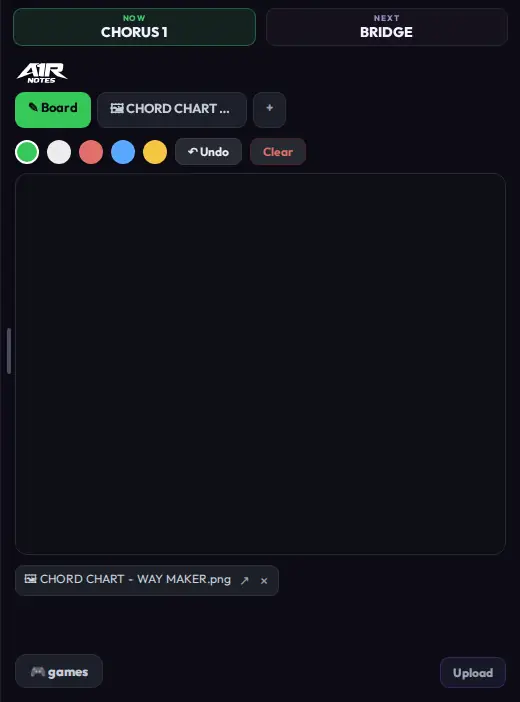
The Notes board — scribble on the canvas, or jump to an uploaded document via its tab.
Uploading documents
- Upload accepts PDFs and images (PNG, JPG, and similar).
- Each uploaded page or image becomes its own tab, so a 6-page chart gives you 6 tabs to flip through.

Every upload becomes a tab next to the Board.
Annotating
- Draw freehand or highlight over any page.
- Inline text — tap anywhere to type a label, drag it to move it.
- Undo / Redo for annotation steps.
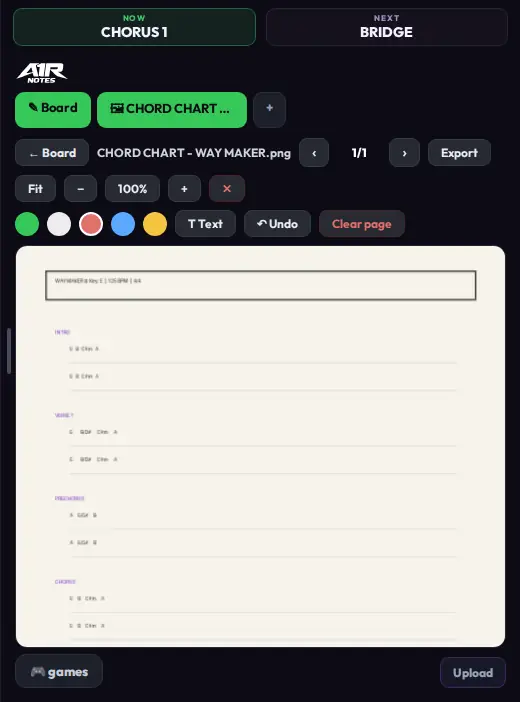
The annotator on an uploaded chart — Fit, − 100% +, colors, T Text, Undo and Export in the toolbar.
Zoom & export
- Zoom with the −/+ buttons, Ctrl + scroll, or pinch on touch devices.
- Fit width / Fit page snap the view to the document.
- Export the current page — annotations included — as a PNG.
Notes are stored per project, so each show keeps its own charts.